Tuesday, 25 January 2022

What is REST, RESTFul and CRUD


What is REST, RESTFul, and CRUD


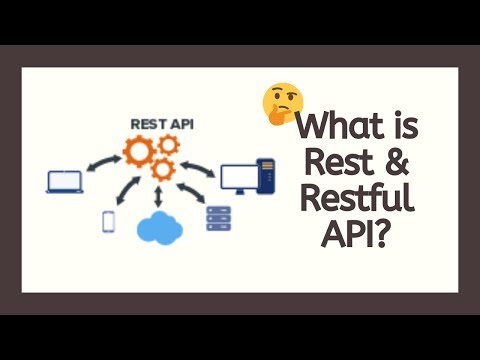
REST is a concept for component interaction based on the HTTP protocol. I do not want to dwell on boring theory, but I will give a simple explanation in relation to sites.

On the Web, the exchange takes place over the HTTP protocol: request-responseIn order to transmit some data, they need to be identified somehow, that is, their "sign", "action" or something similar must be indicated. And therefore, before, the data needed to be formatted in some kind of complex format, usually XML or JSON.

So, REST says that this is not necessary. We transfer the data as is, only the method (parameter) for this data is specified for the HTTP request. We usually operate on GET and POST because they work out of the box in HTML and are supported by any browser. But in fact, the HTTP method can be absolutely anything. There are some common ones: PUT, DELETE, OPTIONS, PATCH, but this is not a standard at all.

That is, for example, we want to send a GET request to the server at the address site/task and get a list of tasks (tasks). Then we want to add a new task: we send the site/task to the same address but using the POST method. Then we decided that in order to edit the task, we need to send PUT and again to the same address. And, if such booze has gone, then we also send the DELETE method to delete some tasks.

Forming a GET request is very simple - just type the address in the browser. POST already needs an HTML form with method=post. These same methods work great through AJAX as well. But as far as PUT and DELETE are concerned, neither HTML nor the browser knows anything about them. Formally, we can still specify them, but we will stumble upon the last wall - the server, which also usually does not know anything about these methods and is cut with a 501 or 405 error.

Thus, although HTTP supports arbitrary methods, only two actually work: GET and POST.

To get around this limitation and apply REST to our sites, we came up with a trick. All "non-standard" requests in their body must contain a separate field, where the "desired" method is indicated.

Well-established practice is to specify a method in a _methodform field or an Ajax request.

<form  method = "POST" > 
	<input  type = "hidden"  name = "_method"  value = "PUT" >
	... other form data ...
</form>

That is, the real sending is POST, but the application checks the field _methodand uses it to decide what to do next.

This parsing is performed by the application router. If so, then the routing rules are specified something like this:

[ 
    'method'  =>  'POST' ,  // create new task (Create) 
    'pattern'  =>  'task' , 
    'action'  =>  '\Controller\Task\Task@create' , 
], 
[ 
    'method'  = >  'GET' ,  // task show (Read) 
    'pattern'  =>  'task' , 
    'action'  =>  '\Controller\Task\Task@read' , 
], 
[ 
    'method'  =>  'PUT' ,  / /update/edit task (Update) 
    'pattern'  =>  'task' , 
    'action'  => '\Controller\Task\Task@update' , 
], 
[ 
    'method'  =>  'DELETE' ,  // delete task (Delete) 
    'pattern'  =>  'task' , 
    'action'  =>  '\Controller\Task\ Task@delete' , 
]

Please note that in all cases one HTTP address is used: site/task - only methods that are specified either in the HTML form or in the Ajax request change.

Here we come to another concept - CRUD, which is nothing but an abbreviation for Create, Read, Update, Delete - Create, Read, Update, DeleteThese are nothing more than basic operations for the vast majority of data.

CRUD is needed in order to divide the program code into separate parts, each of which is responsible for its own actions. In this example, a PHP class will be used \Controller\Task\Task, where each HTTP method will be executed by its own PHP method:

  • for POST the method will be executedcreate()
  • for GET method will be executedread()
  • for PUT the method will be executedupdate()
  • for DELETE method will be executeddelete()

If you do not use REST, then most likely you would have to specify the action either at a separate url address or in get parameters. Something like this:

  • site/task/create
  • site/task/update/7
  • site/task/delete/5
  • site/task?action=create
  • site/task?action=update&id=7
  • site/task?action=delete&id=5

REST, of course, requires at least some kind of routing that can understand _methodIn general, it will be like this:

$method  =  'get' ;  // default method
 
if  ( $_POST )  { 
    if  ( isset ( $_POST [ '_method' ]))  
        $method  =  $_POST [ '_method' ]; 
    else  
        $method  =  'post' ; 
} 
...

Then the router looks at the rules and finds a PHP method to run.

REST is just a concept, a set of rules. If we apply these rules to the application, we are already talking about RESTFulFor example, REST assumes the use of a client-server model. If we assume that the server is a real hosting server and the client is a site user, then for RESTFul we need to configure the real server so that it understands the HTTP methods used. It is unlikely that anyone will do this, so, from this point of view, the application cannot be considered RESTFul.

But, on the other hand, if the REST server is just an abstraction, then what difference does it make to us how a real server works at all if its main task is simply to give and receive what we need? Even if we use the trick with _method, it works as expected, which means the application is RESTFul compliant.

In general, it is worth noting that now REST and RESTFul are actually synonyms. If a PHP application can accept an HTTP method in any way, then it is considered that this is already a full-fledged RESTFul. You just need to understand that the REST architecture allows us to use HTTP in much the same way as it was originally intended.

CRUD operations


CRUD operations


When working with databases, there are 4 basic operations: creating (create), reading (read), editing (update), and deleting (delete). All 4 basic functions are called briefly CRUD - by the first letters of each operation. We have already met with reading from the database in the articles Get data from the database and Data filteringIn this article, we'll take a look at the remaining three operations and learn a little more about reading.

In this article, we will work with a model Post- a blog article:

from django.db import models

class Post(models.Model):
    title = models.CharField(max_length=200, unique=True)

    text = models.TextField()

This is the post model. It has a title title, and it is designated as unique - unique=TrueThis means that there cannot be two articles with the same title in the database, each must have its own unique title.

In real sites, the field is made unique slug, it is this field that forms the address of the article on the Internet, and therefore must be uniqueFor clarity of examples, we have made the field unique title.


Reading

If the post has a unique field, as titlein this case, it can be accessed directly via get():

title = "CRUD"
crud_post = Post.objects.get(title=title)

Such a notation is clearer and more convenient than using a filter Post.objects.filter(title=title)[0].

If a post with the title “CRUD” is not in the database, you will get an error:

models.DoesNotExist: Post matching query does not exist.

This is a normal exception and can be caught and handled , although there are some quirks .

Creation

To create a new post, there is a createThis is how a new post is created

Post.objects.create(title="Заголовок нового поста", text="Текст нового поста")

Now it is saved and lies in the database:

post = Post.objects.get(title="Заголовок нового поста")
print(post.title)
# Заголовок нового поста

Editing

To edit a post object, you must first pull it out of the database. For example, like this:

post = Post.objects.get(title="New post title
")

Now we have a post object postand we can change its attributes. This is what editing the header might look like:

post = Post.objects.get(title="New post title")
post.title = "Why mom?
"

But it won't work. Changes must be sent to the database, otherwise, they will be lost when the program ends. The method is responsible for saving .save():

post = Post.objects.get(title="New post title")
post.title = "Why mom?"
post.save()

Removal

You can delete both individual posts and entire selections - QuerysetThis is done using the method delete():

post = Post.objects.get(title="New")
post.delete()  # 

all_posts = Post.objects.all()
all_posts.delete()  # 


CRUD - what is it in programming (crud)

CRUD - what is it in programming (crud)


CRUD (Create Read Update Delete) is an abbreviation for 4 data manipulation operations:

  • Create -- Create
  • Read -- Read
  • Update -- Editing
  • Delete -- Delete

CRUD Examples

Often, when working with data within the framework of MVC, so-called crud controllers are considered - usually, these are classes that perform 4 specified operations for an entity (as a data store, using, for example, a DBMS ).


What is CRUD

 What is CRUD


The letters CRUD mean Create, Read, Update, Delete - "create", "read", "update", "delete". These are not just letters, but the ideology of designing the user interface and server backend.

At the same time, these are not some rules, but simply the logic of the exchange with the server. It may be different, but it should remain just logic.

Our note_update.php file adds a new entry, and according to the CRUD formula, it should be named note_create.php . And the rest of the files on the server would be named like this: note_update.php , note_read.php , note_delete.php . For each CRUD action, we would refer to a file with the appropriate name.

It must be understood that the names of the files do not mean anything, we choose them based on our logic. But they can play a role. When we really support CRUD throughout the project, then it is enough for us to know only the name of the object and the action that needs to be performed with it. If the object is called note, then we can, for example, automatically generate links for it: note_create.php , note_read.php , note_update.php , note_delete.php .

CRUD controller

Each individual file from the example above can also be called a controller (see below). MVC design pattern ). But each of them performs only one action, and in this case, the idea is that one controller can perform all CRUD actions on one data model.

But with one controller, how do you figure out exactly what action you want to perform?

As we know, the edit form passes parameters to the controller using a POST request. Nothing prevents adding one more parameter to these parameters, which will indicate the action. For instance,

action=update

Parsing the received POST request, the controller will parse the action parameter and understand what action is required.

However, nothing prevents you from passing the action through a GET request:

note_controller.php?action=update

I think this is even better because the server logs will show exactly what actions were requested from the browser.

Both the option with several specialized controllers and the option with one universal controller can be convenient. For further implementation, we will choose the second option, since we have actually mastered the first one in the previous part.

Making a controller

Let's not call it note_controller.php , but let's make a controllers folder and in it the note.php file. Then the URL for the notes controller will look like this:

http://catalog/controllers/note.php

And in the same folder, we will be able to place all the other controllers that will appear later.

Let's make a list of actions that are supported by the controller:

view, update, delete

Why not create, read, update, deleteWe are not required to follow the CRUD definitions literally, we are only required to support the chosen logic. In this case, we don't need a create action. Just update is enough. The logic is simple: if a record with an empty id is being edited, then it is not in the database and it will be created, but if the id is full, then this record already exists and needs to be updated.

Such a case is possible: as a result of some kind of failure, an update request with an empty id was received. Then a new record will be created, although it should not have been. Then a separate create action would really help us. The update action would always require a non-empty id. But we do not risk anything now and therefore we do not consider such cases.

And instead of read there will be viewNo difference, it's just more familiar. This is a single post view.

Let's write the logic for processing actions.

We immediately get the values ​​for $action and $id from $_GET . They may not be there, and when accessing, say, $_GET['action'] , an error will occur. Therefore, we wrap such calls in the get_param() function , which first checks for the presence of parameters using isset() . To make the function more universal, i.e. worked not only with $_GET , but also with any array, we gave it the $data parameter , in which you need to look for the key $name .

Next, the value of $action is checked and the corresponding function is called. If no match is found, then we call the default function: index().

So far, these functions have not been written, but in this piece of code, we have done everything that is required. Now we can write functions one at a time.

Let's start with index()Firstly, this is a default function that will work right away, and secondly, we need to make HTML pages display data. Each page will be a view of the MVC template, and we'll look at the index() example .

The index() function is very simple: it gets a list of records in the note table from the base and calls the render() function to display that list. Everything.

The render() function, in turn, includes an external file. This mechanism needs to be analyzed in more detail.

In PHP, there are two ways to include other code in your code: include() and require()It works elementary: in the place where you wrote, for example,

include('cat.php');

This will take the text from the cat.php file and put it right there. And your program will start executing it. The difference between include() and require() is that if the file is not found then include() will issue a warning, while require() will issue a fatal error.


So index() called render() and passed three parameters there: 'main', 'index', $resultset . In terms of render() , the first parameter is the container ( $container ). What is a container and what should it contain? Let's see. Since $container is currently equal to 'main', this will include the file

../views/main.php

And you need to go to it.

Representation

Let's make the views folder on the same level as the controller's folder. This is where the views will be stored. The main.php file will contain the skeleton of a typical HTML page.

Everything here is minimal. This is the text that will be included in the render() function. What will happen? Since this is not PHP code, it is outside the <?PHP ... ?> tags . And everything that is outside is simply sent to the browser for output. This means that the browser will receive this HTML page. In which there is nothing. Or is there?

Looking closely, we see that this text also contains the following line:

<?php require("$view.php"); ?>

$container and $view . Since we are including the container text from within the function, all options are available to us. And as we remember, the $view parameter is now equal to 'index'. That is, the main.php container will now include the index.php file . And here it is already displaying a list of 

This HTML code does not have a proper header, as it is embedded in the main.php container (in fact, that's why it is a container). In other words, the container contains a blank HTML page template, and the content of the page is added by including one of the views.

The list of records is the $data variable, which is also received as a parameter by the render() function and is therefore available.

Let me briefly explain the HTML code: we display a table (<table>). A table is made up of rows (<tr>) and rows are made up of columns (<td>). You can see it in the structure of the text, I hope.

The first row of the table contains headings, so instead of <td> we use <th> there - it's like <td> , only with a font style for headings.

After the header line, we loop through as many lines as there are entries in $data . To do this, we use the PHP foreach() construct with an alternative syntax: instead of the opening curly brace "{", a colon is put, and instead of the closing "}", endforeach is put . Both options are equal, this one is considered more readable in the middle of the HTML code.

Don't forget what I said before: it might look like it's HTML code that includes PHP instructions. But no. This is a PHP program and nothing else. Anything outside the <?php ... ?> tags is simply sent to the output, which is equivalent to writing in PHP:

echo "<table><tr><th>ID</th><th>... ... ... ...";

In this form, you would immediately understand that this is the program in front of you. But that's exactly what she is. Just for your convenience, don't write echoAnd we do inserts <?php ... ?> only where we need to control the execution of the program.

In addition to the foreach() control construct , we use PHP inserts to display records, but they look a little different:

<?= $note['id'] ?>

This is equivalent to writing like this:

<?php echo $note['id'] ?>

And it was also done for our convenience. In the right places of the HTML template, we insert the data received from the database into the general output stream. As a result, our page will look something like this.


So far it's clumsy, but then we will make styles according to beauty. This is a completely separate issue. The main thing now is that the functionality works.

Pay attention to the last three columns in each line - there are links to view, edit and delete each entry. With the correct action and id in the URL already. True, we cannot use them yet, since the corresponding functions have not been written. But today we set the foundation, so the rest will follow the rails.

Let's recap what happened:

The render() function, having received the container name, view name, and data, included the container file. The container, in turn, included a view file. We have received the final text of the HTML page, made up of fragments. All this text went to the output in the browser. In some places, data from the database was inserted into the output stream using PHP. As a result, the browser received the HTML page and showed it.


What is REST, RESTFul and CRUD

  What is REST, RESTFul, and CRUD REST  is a concept for component interaction based on the HTTP protocol.  I do not want to dwell on boring...